Choose Your Setup

Classroom photo scavenger hunt

Turn vocabulary, shapes, colors, science concepts, or local history into an active search. The teacher controls the area and prompts while students work in supervised teams.

At a glance

An active-learning exercise connected to the current lesson.

Best setting
Classroom, school building, or teacher-defined campus zone
Group format
Supervised teams with one approved device per team
Recommended mode
Timed for a lesson block; Color hunting for creative observation
Suggested duration
10–30 minutes
Preparation
Follow school rules, secure required consent, choose no-face prompts, and define boundaries
Devices
Each player entry needs the app; teams can share one phone per team.

Why PicChase fits

Free custom lists turn lesson vocabulary into real examples. A class of 20 can play for free as four teams of five while the teacher hosts without playing. Use one device per team plus the teacher’s own device. The teacher can follow team progress even when it is hidden from students. Premium supports more team entries.
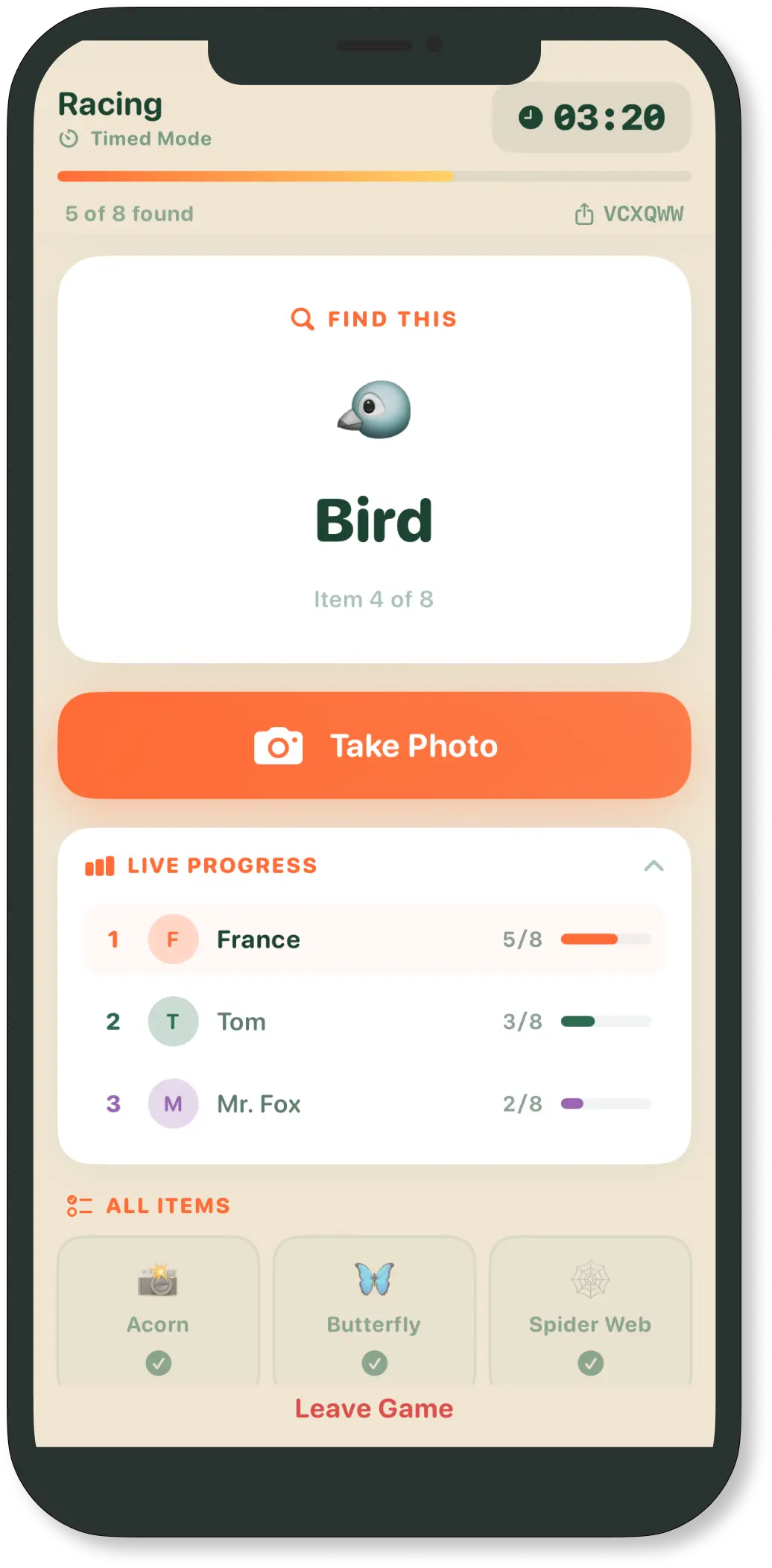
PicChase active photo challenge screen

Step-by-step setup

  1. Choose the play area and define clear boundaries.
  2. Decide whether the host will play. To observe, turn off “Host participates in the game” when creating the game.
  3. Choose the recommended mode, timer, and team format.
  4. Select a pack or create a free custom list, then remove unsuitable prompts.
  5. Share the game code, confirm safety rules, and start only after every team is connected.

Sample challenges

  • A real example of symmetry
  • An object representing today’s vocabulary word
  • Three different geometric shapes
  • Evidence of a simple machine
  • A color gradient made from classroom objects

Facilitation and safety tips

  • The teacher should supervise and follow school and guardian consent rules.
  • Avoid faces, names, student work, screens, schedules, and private records.
  • Offer a seated search area or a researcher/list-coordinator role.

Questions for this setup

Can I host a game without playing?

Yes. When creating a game, turn off “Host participates in the game.” You can follow players’ progress without taking photos or competing, even when progress is hidden from players. This option is free in all three modes and stays fixed for that game. An observing host does not use a player slot: a free game supports four players or teams plus the host on a separate device.

How many people can play?

A free game supports up to four players or teams, with no limit on the number of games. A host who plays uses one of those slots; a host who only observes does not. Premium unlocks unlimited player entries. Each team can share one phone.

Does every player need to install PicChase?

Each player entry needs PicChase on an iPhone, iPad, or Android device. A group can register as one team and share one phone, so a class of 20 might compete as four teams using four phones. The website is for information and support, not gameplay. A host who observes uses a separate device with PicChase installed.

Can I create or customize a scavenger hunt list?

Yes. Creating a custom list for a game is currently free for everyone. You may also customize every ready-made pack, including removing prompts that do not fit the location. Saving a named custom list for reuse is a Premium convenience. Some hosts ask ChatGPT for prompt ideas, then review them for the real group and setting.

Is PicChase suitable for classrooms and youth groups?

It can be used as a host-organized, supervised activity. Teachers should follow school policies and guardian-consent requirements, define boundaries, and prefer prompts that avoid faces and private information. Children should play with suitable adult supervision and guardian consent. The teacher can host without playing and follow team progress even when it is hidden from students.

Available on iPhone, iPad, and Android.

Ready to start the chase?

Install PicChase, choose a few challenges, and invite your group with a game code.

What are you planning to use PicChase for?

Optional—your answer helps us improve the site.